One straight run, call to cash.
Each step hands the next one everything it already knows. Nothing is retyped, so nothing drifts — and nobody downstream finds out about a change order, a deficiency or a fitted part by asking around.
Every screen below is a real screenshot, and all six are the same job: a four-branch security rollout, followed from the first call to the money landing.
- 01
The call
Logged as an opportunity with an owner and a follow-up date.
Every enquiry lands in one pipeline, whether a salesperson typed it in or it came off your own website form. Nothing sits in an inbox waiting for someone to notice it. The site gets created while the lead is entered, so scheduling never dead-ends later with a customer who has no address on file.
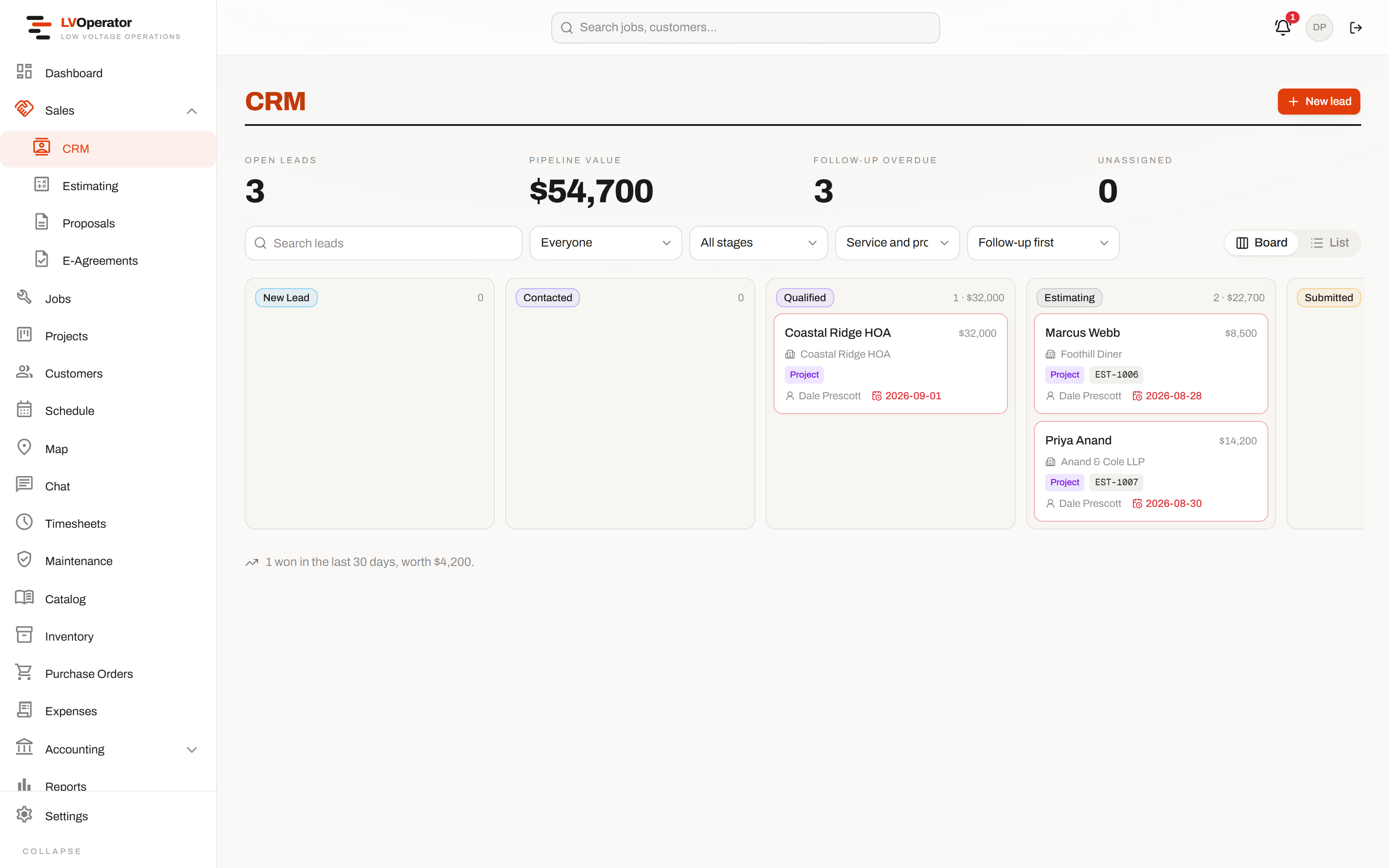
One board, however the lead arrived. The filter and sort live in the URL, so the view you work from is one you can bookmark or send to someone. - 02
Estimate
Priced from your catalog at your service or project rates.
Parts, labor units and rate cards you already loaded do the pricing. A whole system can be given a location and a multiplier — four identical branch offices entered once. Alternates let a customer choose between two systems on the proposal instead of calling you back for a second quote. Tax, shipping and permits apply themselves.
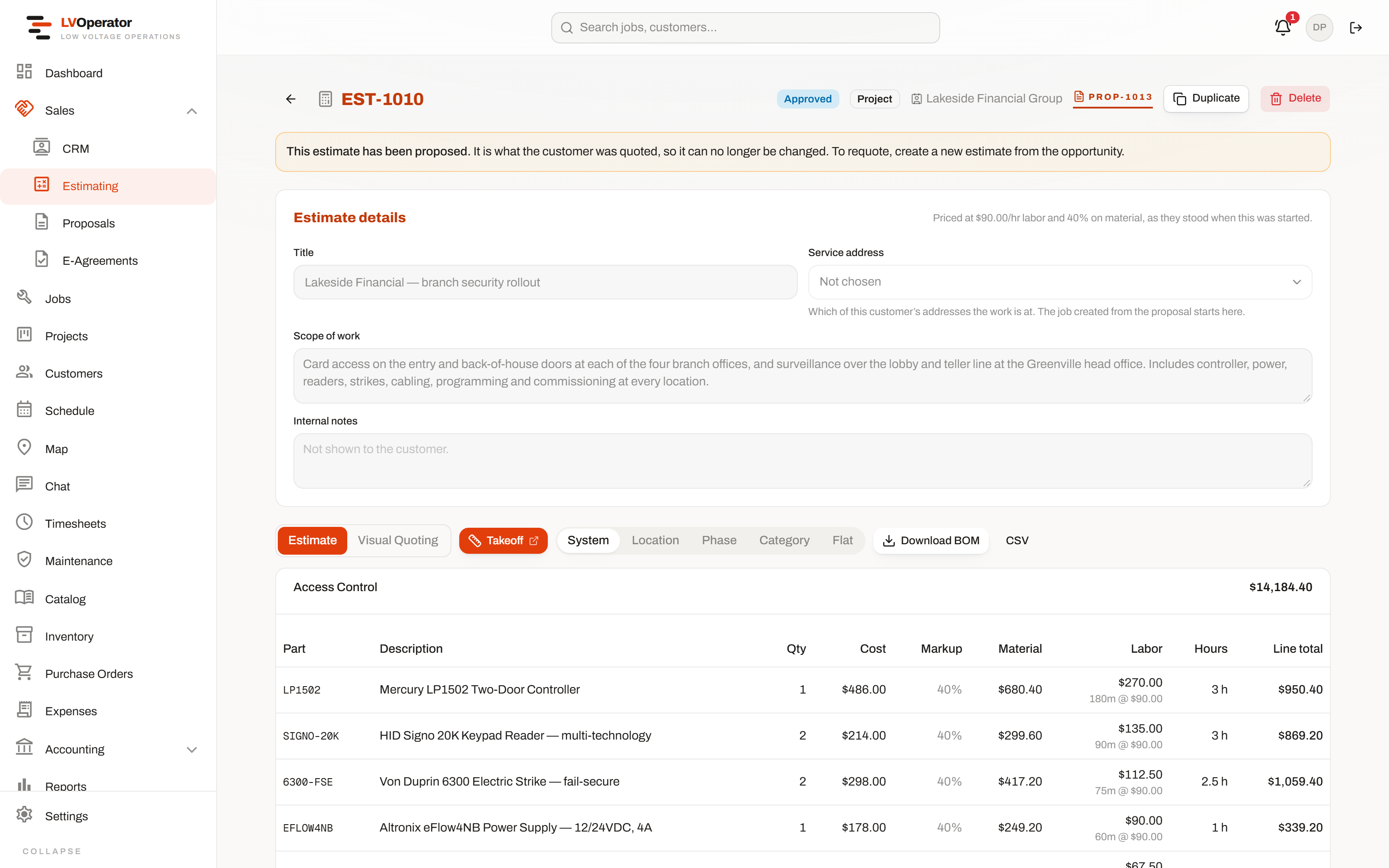
The Access Control system carries a location and a ×4 multiplier. Every line is priced from the catalog; the hours come from labor units you set once. - 03
Proposal
Your cover, your terms, signed on their phone.
The customer sees exactly what you built the estimate from — no separate document to keep in sync. Withdraw it, fix the estimate underneath, and the same proposal goes back out with its link and history intact. Approval raises the deposit invoice and, on a system that runs on draws, opens the billing schedule automatically.
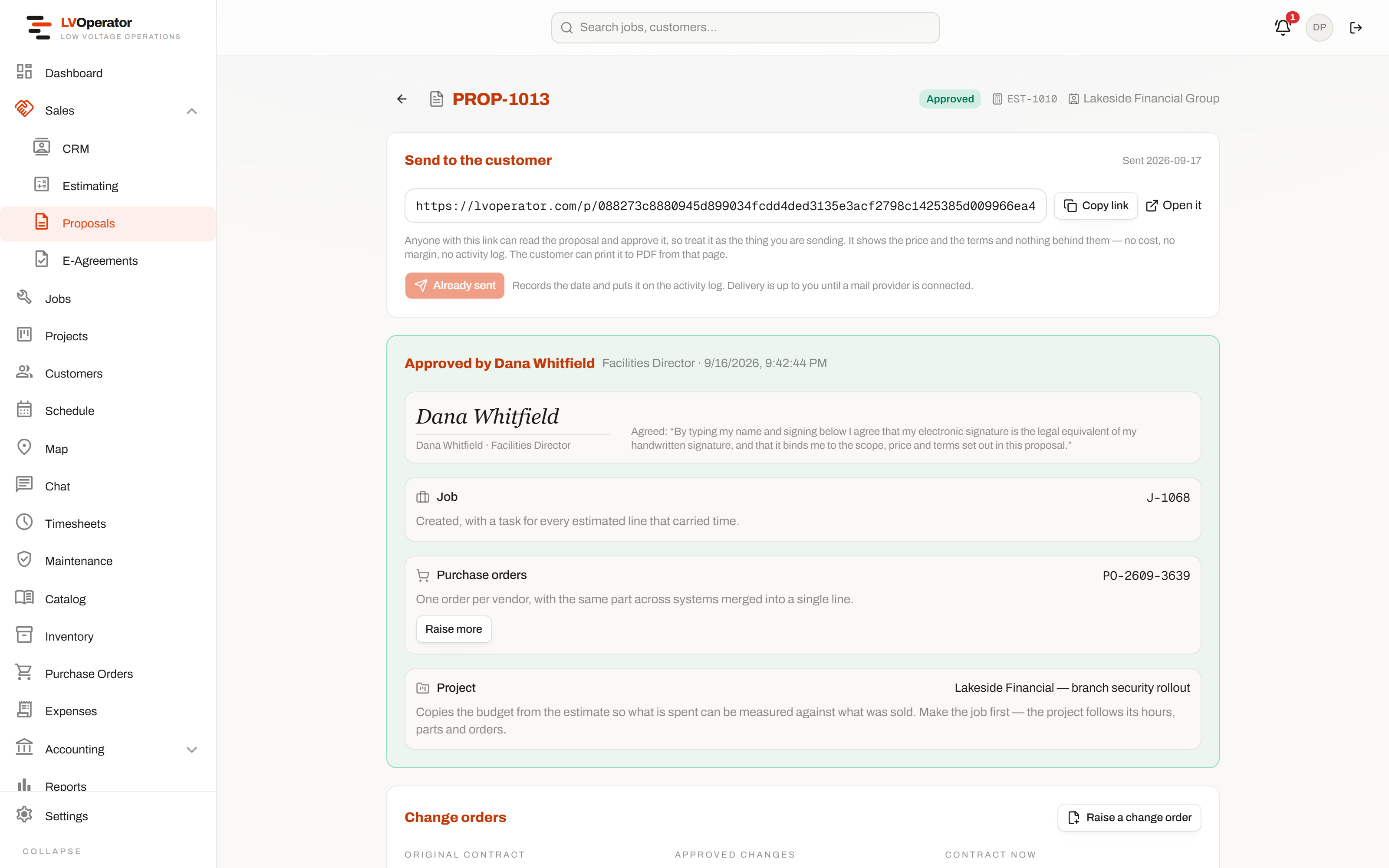
Signed by the facilities director. Underneath it: the job, the project, the purchase order it raised, and the change orders measured against the original contract. - 04
The board
Dragged onto a tech, who sees it before you put the phone down.
Dispatch by drag and drop, filtered by branch, division or region if you run more than one crew. Drop a visit on somebody already booked and the board says so instead of accepting it quietly and letting you find out on the day. The technician's phone updates the moment the visit is scheduled.
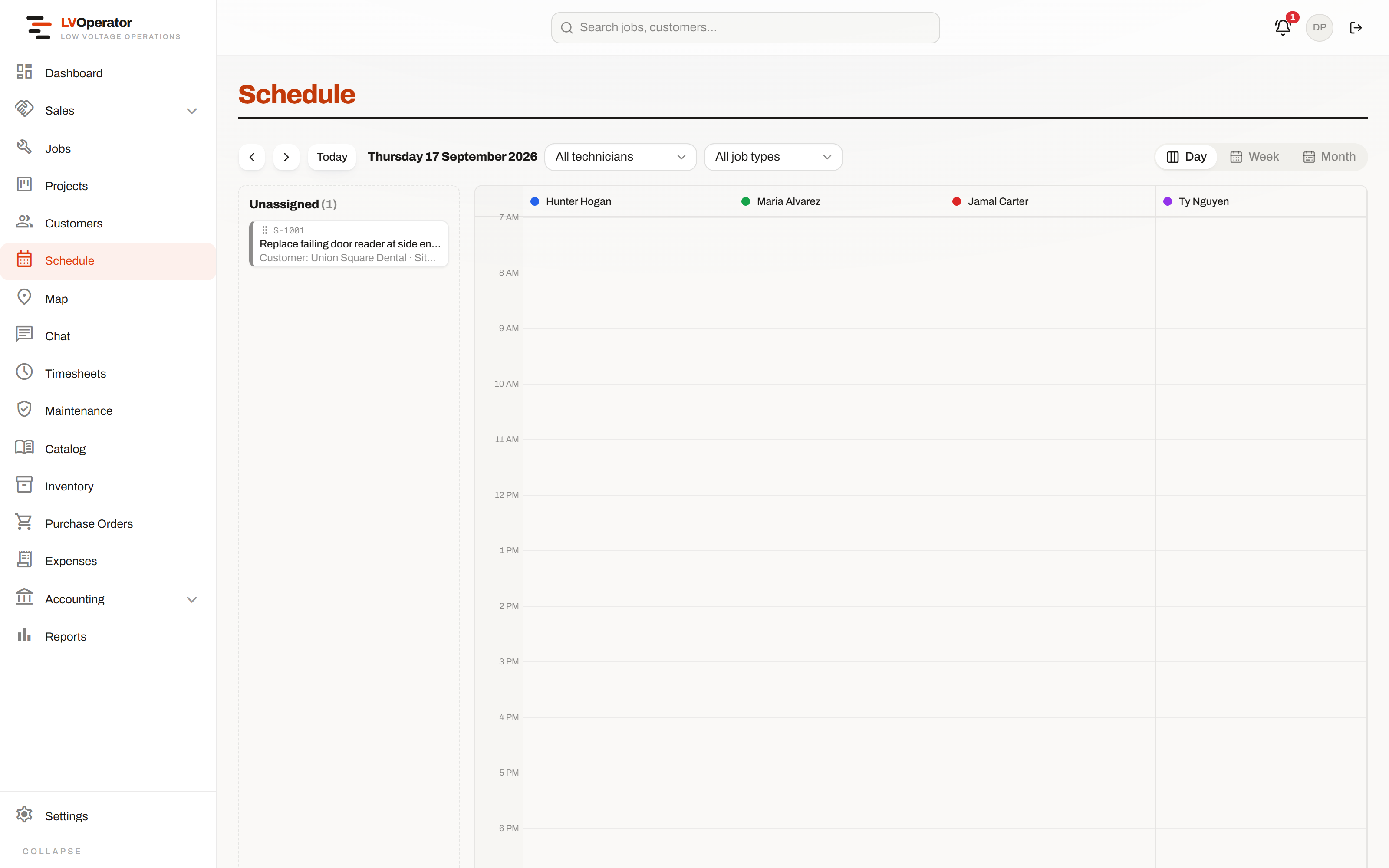
Day, week and month over the same visits. Anything still unassigned sits in the tray on the left rather than disappearing. - 05
The work
Hours, parts, photos and the signature, captured on site.
Time clocks against the job and the class code. Parts come off the van and land on the job in the same motion. Every device going in is a row with a state, and the required photos have to exist before the job is allowed to close. A device found faulty becomes a real lead in the CRM before the tech leaves the parking lot — ready for a sales rep to quote.
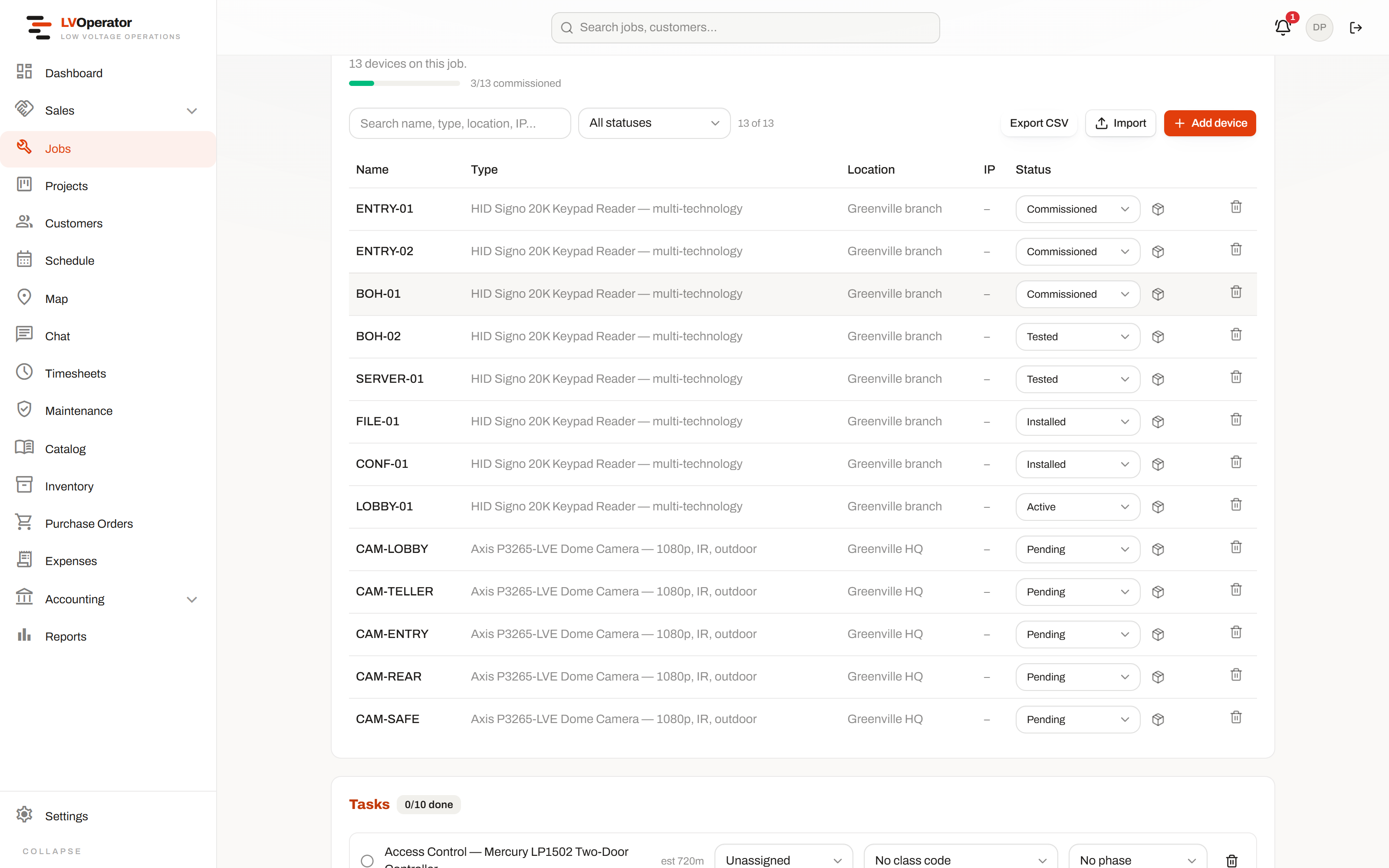
Three of thirteen commissioned, the back-of-house readers tested, the cameras not started. “Is it finished?” is answered from this, not from somebody's impression. - 06
The invoice
Built from what actually happened, not what was quoted.
Labor and parts already recorded against the job become the invoice — or the next draw, or the next AIA application, depending on how the job was sold in step three. Payments are tracked one at a time against a real ledger, so a part payment is a part payment rather than a balance somebody overwrote.
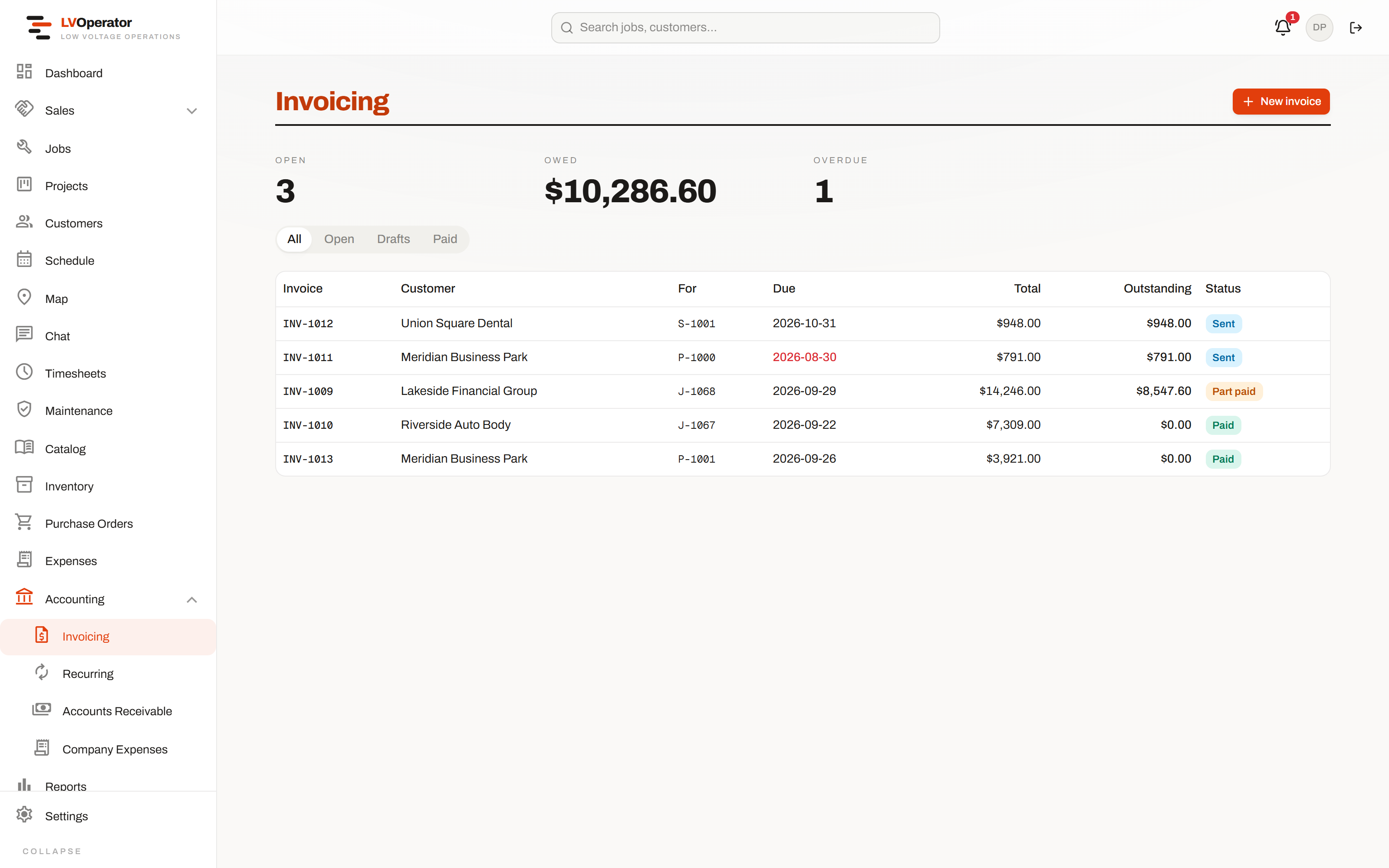
Paid, part paid, open and overdue, with what is actually outstanding beside each one. The customer can open and pay from a link with no login.
Thirty minutes, your jobs, an honest answer.
Bring one real quote — ideally one that went sideways. We price it live against your catalog, take it through to a signed proposal and out to a dispatched job, and tell you if it is a bad fit.